 Flag Grids
How to Play Flag Grid Maker
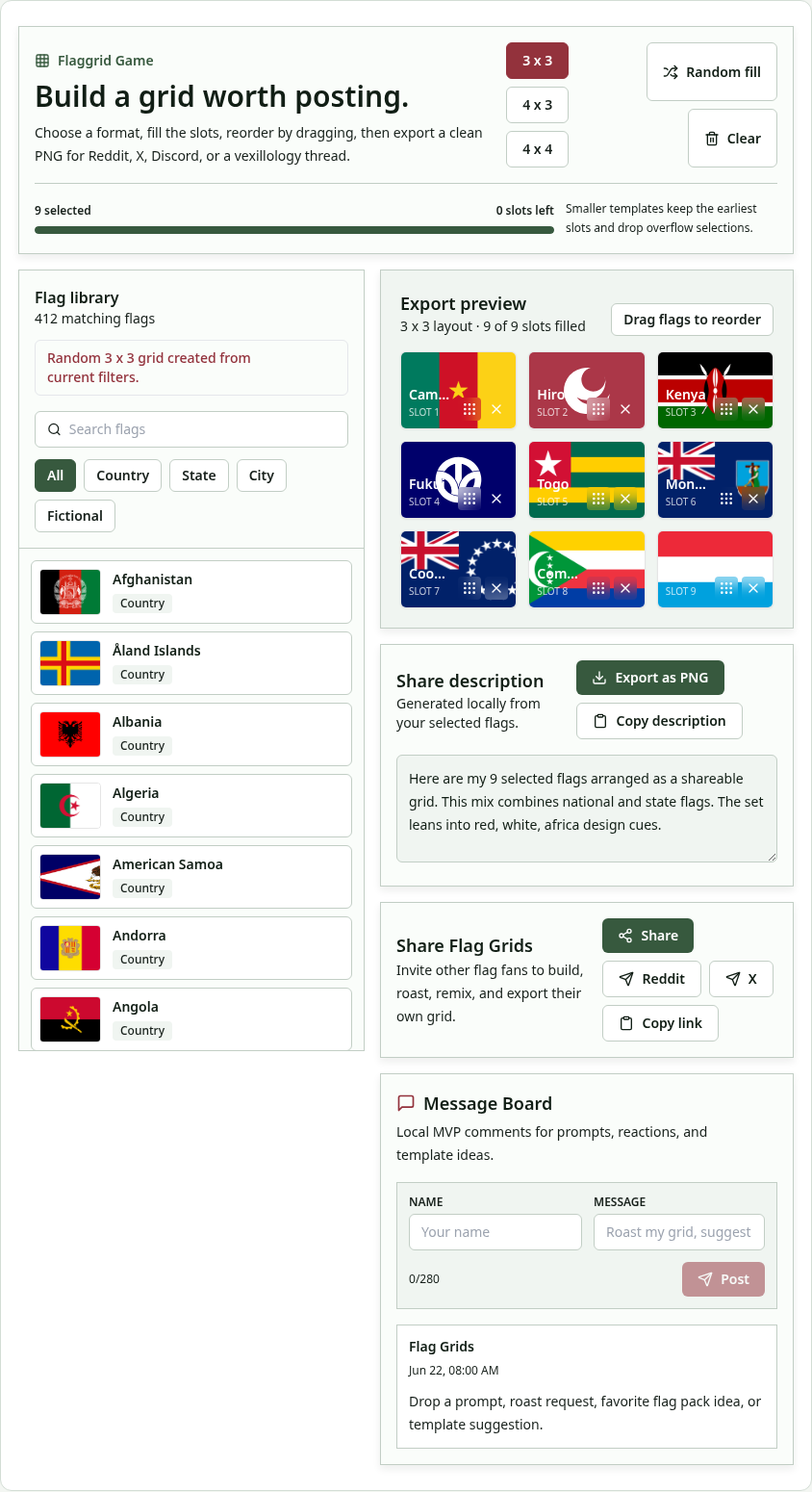
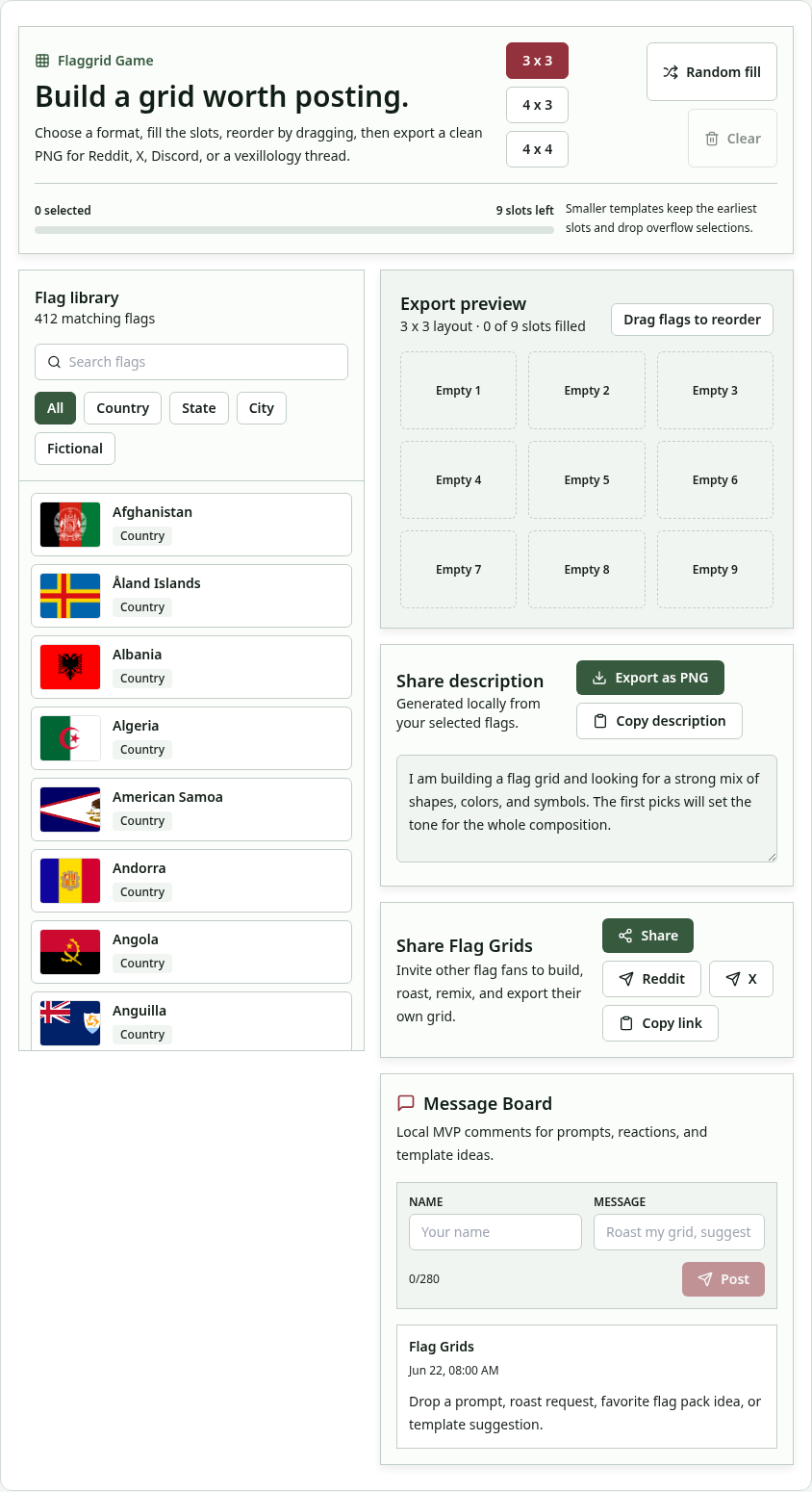
- Choose a grid size. Pick 3×3, 4×3 or 4×4 depending on how many flags you want to show.
- Browse the flags. Filter by country, state, city or fictional flags and search by name.
- Add flags to your grid. Click a flag to place it in the next empty slot, or use Random fill to create a grid instantly.
- Drag to reorder. Drag and drop flags inside the grid to put them in your preferred order, such as favourite to least favourite.
- Export a PNG. Press export to download a clean image of your grid, ready for social media.
- Share it. Use the share buttons for Reddit or X, or post the image in Discord and vexillology communities.
What Is the Flag Grid Maker?
The Flag Grid Maker is a free online tool for building a flag grid: a neat collage of flags laid out in rows and columns. Flag grids are a favourite format in vexillology communities. People use them to show their top nine flags, rank the flags of a region, compare redesigns or simply start a debate about which flag is the best. Until now, making one usually meant fiddling with an image editor. Here you pick a layout, click the flags you want, drag them into order and export a clean PNG in under a minute.
The tool includes national flags as well as a selection of state, city and fictional flags, so you can build grids around themes such as “best US state flags”, “flags I would put on my wall” or “my favourite fictional nations”. Everything happens in your browser, and your grid is never uploaded to a server.
Grid Layouts and Options
| Option | Detail |
|---|---|
| Layouts | 3×3, 4×3, 4×4 |
| Flag categories | Country, state, city, fictional |
| Controls | Click to add, drag to reorder, random fill, clear |
| Export | PNG download |
| Sharing | Reddit and X buttons, plus any platform via the image |
| Cost | Free, no watermark, no account |
Ideas for Your Next Flag Grid
Rank a region
Choose nine or sixteen flags from one region, such as the Caribbean, the Balkans or the Pacific, and order them from best to worst. Ranking grids start lively discussions, especially when you add a short explanation of your choices.
Show your personal top nine
A 3×3 grid of your favourite flags says a lot about your taste: bold tricolours, detailed emblems or minimal designs. It is a fun icebreaker in any flag or geography community.
Build a theme grid
Group flags by a shared feature: all flags with stars, all flags with animals, all red-and-white flags or every Nordic cross. Theme grids are also great study aids for flag games such as Flag Connections.
Compare real and fictional flags
Mix real flags with fictional ones and ask friends to spot the fakes. It makes a quick, shareable quiz.
Make a travel log
Fill a grid with the flags of every country you have visited, and update it after each trip.
Tips for a Great-Looking Grid
- Balance colours. Spread strong reds and blues across the grid instead of clustering them together.
- Use contrast. Put simple flags next to detailed ones so each stands out.
- Pick the right size. 3×3 works best on phones; 4×4 is better for detailed rankings on desktop.
- Order with purpose. Rank from top-left to bottom-right so viewers read it naturally.
- Add context when you post. A one-line caption explaining your theme gets far more engagement.
Features
- Three layouts: 3×3, 4×3 and 4×4.
- Many flag types: national, state, city and fictional flags.
- Drag-and-drop ordering: arrange flags exactly as you want.
- Random fill: instant inspiration.
- PNG export: high-quality images with no watermark.
- Share buttons: post to Reddit or X in one click.
- Private by design: everything runs locally in your browser.
Why Flag Grids Are So Popular
Flags are one of the few kinds of design that almost everyone has an opinion about. Communities dedicated to flags have hundreds of thousands of members who discuss colours, symbolism and redesigns every day, and grids are one of the formats they post most. A grid turns an abstract opinion into a single image that is easy to read, easy to react to and easy to share. It also works well with the way people browse: one glance shows nine or sixteen choices, and the comments do the rest.
The Flag Grid Maker sits alongside the daily flag games on this site. Use the games to discover flags you did not know, then come back here to show off your favourites. Start with Guess the Flag, try the close-up challenge in Flag Fragment, or rebuild a flag in Flag Puzzle.